For high-earning consultants, every minute spent in transit is a direct loss of revenue. The generic advice to “check emails” is a low-value distraction. The real solution lies in systematically engineering your travel environment into a “Deep Work Cocoon”—a high-focus, zero-friction mobile office. This guide moves beyond simple tips to provide a complete system for optimizing your technology, workflows, and tasks to make deep, billable work not just possible, but inevitable, while on the move.
As a consultant, your time is your inventory. Every hour spent stuck in traffic or on a train is an hour you can’t bill, an hour of perishable inventory that vanishes forever. You’ve likely heard the standard advice: catch up on emails, listen to a podcast, or plan your day. But let’s be blunt: this is low-leverage, reactive work. Clearing an inbox doesn’t move a project forward, and planning is a 15-minute task, not a solution for a 90-minute commute. This approach treats your commute as downtime to be endured, not an asset to be leveraged.
The fundamental mistake is trying to shoehorn office tasks into a non-office environment without first re-engineering the environment itself. Willpower alone cannot overcome a poor connection, constant interruptions, and administrative friction. True productivity in transit isn’t about trying harder; it’s about creating a system so effective that focused, billable work becomes the path of least resistance. It’s time to stop thinking about “what” to do and start focusing on “how” to create the perfect conditions for high-value output.
But what if the key wasn’t just finding small tasks to fill the gaps, but creating a portable fortress of focus—a “Deep Work Cocoon”—that allows for hours of uninterrupted, billable concentration? This isn’t a fantasy. It’s a matter of deliberate environmental engineering. By treating your vehicle or train seat as a deployable office, you can transform lost hours into your most profitable ones. This article will provide the strategic framework and tactical details to build this system, from mastering silence and connectivity to automating every non-billable task that drains your time and focus.
This guide provides a complete roadmap to re-architecting your travel time. We will deconstruct every component required to build a fully functional, high-performance mobile office, turning your commute from a cost center into a profit center.
Summary: Your Roadmap to a Billable Commute
- Why Silence Is the Most Underrated Feature for Business Travelers?
- Bluetooth or Headset: Which Is Better for Calls in a Moving Car?
- How to Position Your Laptop for a Zoom Call in the Back Seat?
- The Reading Mistake That Causes Nausea During Work
- How to Automate Expensing Your Chauffeur Rides?
- How to Tether a 5G Connection Reliably on the M4 Motorway?
- Privacy or WiFi: What Is the Real Productivity Killer on Public Trains?
- How to Turn a 90-Minute Commute Into Billable Work Time?
Why Silence Is the Most Underrated Feature for Business Travelers?
The single greatest barrier to deep work is not a lack of time, but a lack of uninterrupted focus. In a transit environment, this focus is constantly under assault from engine hum, traffic noise, and public announcements. The consultant’s first act of environmental engineering is not to add technology, but to aggressively subtract noise. Silence is not a passive luxury; it is an active, high-ROI tool. It reduces cognitive load, allowing your brain to engage in complex problem-solving and strategic thinking rather than merely filtering out distractions. This is where professional-grade Active Noise Cancellation (ANC) technology becomes non-negotiable.
Hybrid ANC headphones, which use both feedforward and feedback microphones, create a “cone of silence” that is the foundation of your Deep Work Cocoon. This isn’t about relaxation; it’s about creating a controlled environment for high-stakes mental work. The trend towards equipping teams with this gear is clear, as research from Frost and Sullivan suggests that by 2026, 94% of companies will outfit employees with professional-grade headsets. This isn’t a perk; it’s a recognition that focus is a critical business asset. Leveraging these periods of “active silence” for deep work, such as mentally rehearsing a negotiation or drafting a complex strategy document, yields a far greater return than passively listening to music.
By consciously scheduling these quiet zones into your travel, you transition from a passenger to a focused professional. The commute becomes a dedicated time to shift into your work role, priming your mind for the high-value tasks ahead. This deliberate control over your auditory environment is the first and most critical step in transforming dead time into billable time.
Bluetooth or Headset: Which Is Better for Calls in a Moving Car?
Not all communication is created equal. For a consultant, there’s a world of difference between a quick internal check-in and a high-stakes client negotiation. Your audio technology must reflect this distinction. While a car’s built-in Bluetooth system is convenient for casual calls, it lacks the sophistication required for professional communication where clarity and perception are paramount. The ambient noise of the road, the echoey cabin, and the distance from the microphone all degrade audio quality, subconsciously signaling a lack of professionalism to the person on the other end.
A professional-grade headset with beamforming microphones and AI-driven voice isolation is an investment in your professional image. These devices are engineered to isolate your voice from the chaos of a moving vehicle, ensuring your client hears only your words, not the M4 motorway in the background. Furthermore, features like multi-point pairing allow for seamless switching between your laptop and phone, eliminating the friction of fumbling with connections before a critical call. The difference in perception is immense: one sounds like you’re calling from a noisy car; the other sounds like you’re in a boardroom.
Choosing the right tool for the job is a core tenet of efficiency. Reserve the in-car system for low-stakes internal updates and deploy the professional headset for any interaction that impacts revenue or client relationships. This is not about tech-for-tech’s-sake; it’s about controlling the variables that influence perception and ensuring every client interaction is flawless.
The following table breaks down the decision matrix, clarifying the optimal use case for each technology.
| Feature | In-Car Bluetooth | Professional Headset |
|---|---|---|
| Call Clarity | Good for low-stakes internal calls | Excellent with beamforming microphones |
| Background Noise Reduction | Basic noise suppression | Advanced AI voice isolation |
| Multi-Device Support | Limited to car system | Multi-point pairing for seamless switching |
| Professional Image | Adequate for casual calls | Projects ultimate professionalism |
| Best Use Case | Quick check-ins, internal updates | Client negotiations, sensitive discussions |
How to Position Your Laptop for a Zoom Call in the Back Seat?
In the age of remote work, a video call is the new handshake. Appearing on a client’s screen looking up at your chin from a laptop balanced on your knees is the digital equivalent of a limp grip and no eye contact. Creating a professional video presence in the back of a chauffeur-driven car requires the same deliberate environmental engineering as sound and connectivity. It’s about controlling three key variables: camera angle, stability, and lighting.
First, the camera must be at eye level. This is non-negotiable for projecting confidence and maintaining good posture. A sturdy, headrest-mounted arm or a premium lap desk provides the necessary elevation and stability. These mounts also help absorb road vibrations, preventing the shaky-cam effect that screams “unprofessional.” Investing in a dedicated mount transforms the back seat from a passenger space into a functional workstation. Your laptop should be secure and positioned for comfortable, ergonomic use, not just for the call itself.
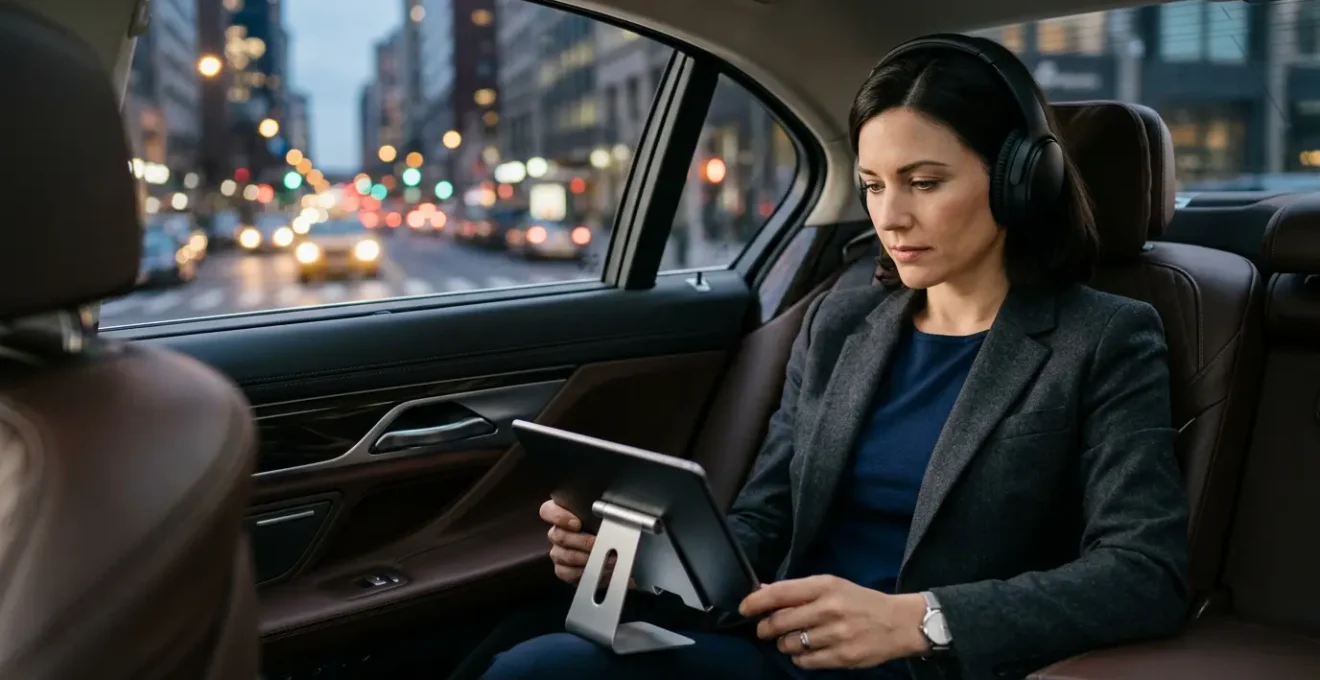
As the image demonstrates, a proper setup creates a clean, controlled frame. The second variable, lighting, is just as crucial. Position yourself to face the dominant light source (the window) to avoid being silhouetted. To counter inconsistent natural light, a portable, battery-powered key light or ring light is a game-changing piece of kit. It provides consistent, flattering illumination, ensuring you look professional regardless of whether it’s a sunny day or an overcast evening. This small investment pays for itself in the first successfully conducted client call from the road.
The Reading Mistake That Causes Nausea During Work
One of the most significant physical barriers to in-transit productivity is kinetosis, or motion sickness. For many professionals, the simple act of trying to read a document or an email on a screen in a moving vehicle can induce nausea and headaches, effectively killing any chance of billable work. This is caused by a sensory mismatch: your eyes, fixed on a static screen, tell your brain you are stationary, while your inner ear detects the motion of the car. This conflict is the root cause of the discomfort.
The common mistake is trying to power through it. This only exacerbates the problem. The solution lies in a series of techniques designed to re-synchronize your senses and reduce visual strain. The most effective is the “Horizon Glimpse” technique. Instead of staring at your screen for long periods, work in short bursts of 10-15 minutes, followed by a 30-second break where you lift your head and look out the window at the distant horizon. This allows your inner ear and eyes to recalibrate, confirming to your brain that you are indeed in motion.
You can further reduce the triggers by optimizing your screen environment. Increase the font size on your documents and activate “reader mode” in your browser. This minimizes peripheral visual clutter and reduces the eye strain caused by trying to focus on small text during vehicle movement. Additionally, switching to a sepia-toned background or dark mode reduces the harsh blue light that can contribute to eye fatigue and nausea. These small adjustments are not about comfort; they are ergonomic interventions designed to eliminate a major productivity bottleneck.
How to Automate Expensing Your Chauffeur Rides?
Billable work is the goal, but administrative friction is the enemy. Time spent manually filling out expense reports, scanning receipts, and seeking approvals is time you can’t bill. For a consultant who frequently uses chauffeur services, this administrative drag can add up to hours of lost revenue each month. The ultimate goal is a “zero-touch” workflow where expenses are captured, categorized, and submitted for reimbursement without any manual intervention from you.
This is achieved through system integration. The first step is to choose a chauffeur service that offers direct API integration with your company’s expense management platform (like Expensify, Concur, or Zoho Expense). When you book a ride, the data—cost, date, route, client code—flows directly from the car service to the expense platform. This single step can eliminate 80% of the manual work. For services that lack direct integration, a secondary strategy is to set up a dedicated email forwarding rule. Any email receipt from that provider is automatically forwarded to your expense platform’s receipt parsing AI, which extracts the relevant data and creates a draft expense for you.
By configuring rules-based automation for repeat journeys (e.g., “all rides to Client X’s office”) and enrolling in supplier loyalty programs for streamlined tracking, you can remove yourself from the process almost entirely. This isn’t just about saving a few minutes; it’s about preserving your mental energy for high-value, client-facing work. Every second spent on administrative tasks is a second stolen from billable activity.
Action Plan: The Zero-Touch Expense Workflow
- Set up direct API integration between your preferred chauffeur service and your company’s expense platform.
- Configure rules-based automation within the expense platform to auto-categorize recurring journeys and client-specific travel.
- Create dedicated email forwarding rules for any travel services that lack direct integration, sending receipts to your platform’s AI parser.
- Use receipt parsing AI to automatically extract data, categorize the expense, and create draft reports for one-click submission.
- Enroll in loyalty programs offered by your preferred travel suppliers to consolidate billing and gain access to streamlined expense tracking features.
How to Tether a 5G Connection Reliably on the M4 Motorway?
Your mobile office is useless without a stable, high-speed internet connection. A dropped connection during a video conference or while accessing a critical cloud document is not just an annoyance; it’s a failure that can damage your professional credibility. Relying solely on your phone’s hotspot is a high-risk strategy. It drains your phone’s battery rapidly and can be unreliable, with performance fluctuating as your phone switches tasks. For a consultant whose work depends on connectivity, a more robust solution is required.
The gold standard for a reliable mobile office is a dedicated 4G/5G mobile router. These devices are purpose-built to maintain the strongest possible connection to cellular networks. They typically have more powerful antennas than a smartphone and are designed for one task only: providing consistent internet. This eliminates the battery drain on your phone and provides a stable backbone for all your devices. For ultimate resilience, especially when traveling through areas with patchy coverage, professionals can use connection bonding software. This technology combines multiple internet sources (e.g., the dedicated router and your phone’s 5G) into a single, ultra-resilient connection. If one source drops, the other takes over seamlessly, ensuring your Zoom call never freezes.
While this requires an upfront investment in hardware and a separate data plan, the ROI is measured in avoided disasters. For a consultant charging hundreds of pounds per hour, the cost of a single failed client call due to a poor connection far outweighs the cost of a dedicated router. The choice depends on your tolerance for risk.
This comparison table outlines the trade-offs between different mobile connectivity solutions, helping you make an informed investment.
| Solution | Speed | Reliability | Battery Impact | Cost |
|---|---|---|---|---|
| Phone Hotspot | Up to 117Mbps | Good | High drain | Included in plan |
| Dedicated 4G/5G Router | 36-117Mbps | Excellent | No phone drain | $77 + monthly data |
| Connection Bonding | Combined speeds | Ultra-resilient | Moderate | Software subscription |
| OBD Hotspot | 18-36Mbps | Good | Car-powered | $77 + $10/month |
Privacy or WiFi: What Is the Real Productivity Killer on Public Trains?
When working on public transport like a train, the productivity equation gains a new variable: security. The temptation is to use the free public WiFi, but this introduces significant risks. Public networks are inherently insecure, exposing your sensitive client data to potential interception. However, relying solely on a mobile hotspot can be slow and unreliable in crowded carriages or tunnels. The real productivity killer is not just a slow connection or a lack of privacy, but the cognitive friction of constantly weighing this risk-reward trade-off.
An efficiency-obsessed professional doesn’t make these decisions on the fly; they operate within a pre-defined framework. A Tiered Risk Framework for public network usage removes the guesswork. This system categorizes your tasks by their security sensitivity, with a corresponding connectivity protocol for each.
- Tier 1 (Low Risk): General web browsing or reading news. Public WiFi is acceptable, ideally with a basic VPN for a layer of protection.
- Tier 2 (Medium Risk): Working on client documents, accessing your CRM, or sending important emails. This work requires a trusted connection. A personal 5G hotspot or a high-quality VPN on the public network is mandatory.
- Tier 3 (High Risk): Accessing financial systems, critical company servers, or proprietary intellectual property. This should never be done on public WiFi, even with a VPN. Only use a dedicated, trusted mobile hotspot for these tasks.
Beyond digital security, you must also consider physical privacy. A simple privacy screen for your laptop is a crucial investment to prevent “shoulder surfing” from curious seatmates. By externalizing these security decisions into a clear, rule-based system, you free up your mental bandwidth to focus on the actual work, confident that you are operating within safe parameters.
Key Takeaways
- Stop passively enduring your commute; actively engineer your transit environment into a “Deep Work Cocoon” for maximum focus.
- Match your tasks to the mode of transit and level of motion. Use a “Traffic-Flow Task Batching” system to separate audio-only tasks from deep work.
- Identify and ruthlessly automate all non-billable administrative friction, from call setup to expense reporting, to maximize time spent on high-ROI activities.
How to Turn a 90-Minute Commute Into Billable Work Time?
Turning a 90-minute commute into billable time is the culmination of all the previous strategies. It’s not about one single trick; it’s about integrating these elements into a cohesive, repeatable system. The core of this system is “Traffic-Flow Task Batching”—a method of assigning specific categories of work to different phases of your journey. This moves you from reactive, ad-hoc work to a proactive, structured mobile workday. As Harvard Business Review notes, the goal is to reclaim your commute by focusing on what you can control.
Reclaim your commute by using time to shift between personal and professional mindsets, planning your day to increase productivity, and focusing on what you can control
– Harvard Business Review, Reclaim Your Commute
The system works by creating three primary task batches. The first is Audio-Only Tasks, reserved for periods when you are driving yourself or in heavy stop-and-go traffic. This includes taking pre-planned client calls (using your professional headset), dictating notes and emails using voice-to-text, or consuming industry-specific audiobooks. The second batch is Shallow Work Tasks. This is for moments of intermittent stop-and-go traffic or short waits. It includes clearing Slack messages, organizing your digital files, or reviewing documents that don’t require deep concentration. It’s productive, but not mentally taxing.
The final and most valuable batch is Deep Work Blocks. This is reserved for periods of smooth, uninterrupted travel, such as a highway cruise with a chauffeur or a long stretch on an inter-city train. This is when you deploy your “Deep Work Cocoon”—ANC headphones on, dedicated 5G connection active. This is the time for drafting proposals, performing data analysis, or any other high-concentration task that is directly billable to a client. As research shows that corporate shuttle services can transform this time, a professional on their own can do even better. By framing this time for clients as “leveraging all available hours to maintain project momentum,” you turn a logistical necessity into a demonstrated value-add.
Start implementing this system on your next trip and calculate the ROI in billable hours. Your time is your most valuable, perishable asset; it’s time to treat your commute as the strategic opportunity it is.