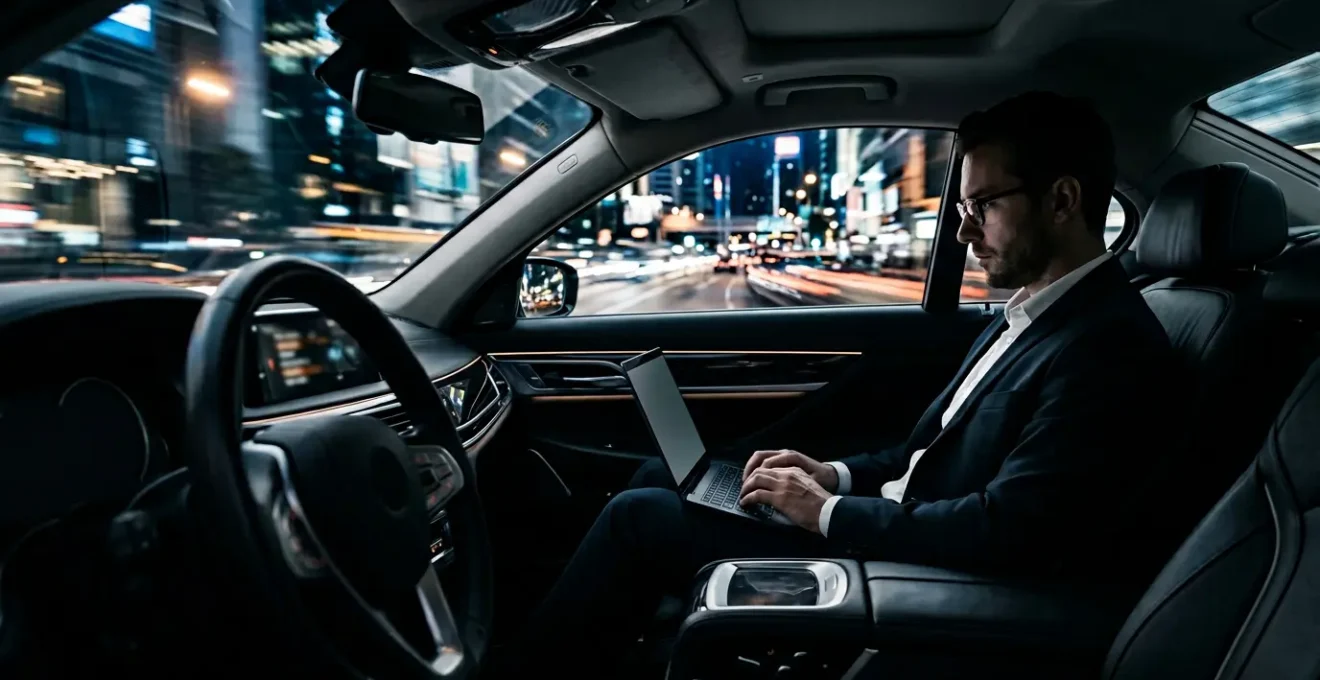
For an executive handling sensitive data, neither hotel nor chauffeur Wi-Fi is inherently ‘safe’; they are simply different threat surfaces requiring a structured risk mitigation protocol.
- The perceived speed of your phone’s 5G is often less reliable for sustained work than a car’s dedicated 4G system due to superior hardware and network priority.
- The greatest vulnerability is often not the technology but the human element, particularly with freelance drivers who may fall outside corporate GDPR and data security policies.
Recommendation: Stop assessing networks as ‘good’ or ‘bad’. Instead, implement a personal connectivity protocol that includes pre-journey verification, multi-layered connections, and clear data-handling rules to turn any commute into a secure, billable work session.
For the corporate executive, the vehicle is no longer just a mode of transport; it’s a transitional office. The moment you step into a chauffeured car, the expectation is seamless productivity. This hinges on one critical utility: a reliable and secure internet connection. The common debate pits the known risks of public Wi-Fi in hotels and airports against the presumed privacy of an in-car network. This comparison, however, is fundamentally flawed. Standard advice like “just use a VPN” or “look for a password” barely scratches the surface of the corporate cybersecurity landscape.
The real question isn’t which network is safer, but rather, “What is my mobile threat surface and how do I manage it?” The answer lies beyond a simple choice. It involves a strategic assessment of the entire connectivity chain—from the car’s antenna and the driver’s data plan to the compliance framework of the chauffeur service itself. The conventional wisdom often overlooks the nuanced interplay between signal integrity (speed and stability) and data security (encryption and privacy). A connection can be fast yet dangerously insecure, or slow but robustly protected.
This analysis moves beyond the platitudes. We will not just tell you to use a VPN; we will deconstruct the specific vulnerabilities and operational advantages of in-car systems. By understanding the technical differences between 4G and 5G in a mobile context, verifying encryption, managing bandwidth, and navigating the compliance minefield of GDPR with freelance providers, you can build a robust risk mitigation protocol. This guide provides the framework to transform your commute from a period of digital vulnerability into a secure and productive extension of your office. The goal is to establish a predictable, secure environment, regardless of the network name that appears on your screen.
This article provides a structured analysis of the mobile connectivity threat surface for executives. Each section tackles a critical component, from hardware capabilities to human-factor risks, enabling you to build a comprehensive security protocol.
Summary: Navigating the Mobile Connectivity Threat Surface
- Why 4G in-car Wi-Fi Is Often Faster Than 5G on Your Phone?
- How to Verify if the Car’s Network Is Encrypted?
- Bandwidth Management: Can You Run 3 Laptops on One Car Hotspot?
- The Connectivity Trap on the M25 and How to Mitigate It
- Why You Should Never Ask the Driver to Read Out the Password While Driving?
- How to Tether a 5G Connection Reliably on the M4 Motorway?
- GDPR Compliance: Why Freelance Drivers Might Expose Your Data?
- How to Turn a 90-Minute Commute Into Billable Work Time?
Why 4G in-car Wi-Fi Is Often Faster Than 5G on Your Phone?
The initial assumption is that a modern 5G smartphone should outperform any in-car 4G system. While 5G offers higher theoretical peak speeds, with some networks showing average 5G download speeds of 226.7 Mbps, this figure doesn’t capture the reality of a moving vehicle. For an executive, consistent throughput and low latency are far more valuable than fluctuating peak speeds. A dedicated in-car 4G hotspot often delivers superior performance for sustained work due to fundamental hardware and network advantages.
First, the vehicle’s system utilizes an optimally positioned external antenna. This component is significantly larger and more powerful than the tiny antenna embedded in a smartphone’s chassis, allowing it to capture signals that are 30-50% stronger. This translates to a more stable connection with fewer dropouts, especially in areas with fringe coverage. Second, many integrated car systems use dedicated M2M (Machine-to-Machine) SIM cards with priority Access Point Names (APNs). This can grant the vehicle’s data traffic a higher priority on the cellular network, ensuring more consistent data flow than a consumer-grade phone plan.
Finally, a dedicated hotspot device is engineered for a single purpose: managing network traffic. A smartphone, by contrast, is a multitasking device, juggling background processes, notifications, and operating system tasks that can create bottlenecks and degrade hotspot performance. While your phone’s 5G might excel for a quick download when stationary, the stable, purpose-built 4G car system provides the signal integrity required for a 90-minute video conference or large file transfer while in motion.
How to Verify if the Car’s Network Is Encrypted?
Once you establish a stable connection, the next critical step is to assess its security. Simply connecting to a password-protected Wi-Fi network is not a sufficient guarantee of security. The strength of the encryption protocol used by the router is a primary determinant of your data’s safety. As a user, you can quickly get a sense of the network’s security level by observing how your device connects and checking the network properties.
Your laptop or smartphone will typically warn you if you are connecting to an unsecure (unencrypted) or weakly secured network. In your device’s Wi-Fi settings, you can view the details of the connected network, which will list the security type. Look for modern standards like WPA2 or, ideally, WPA3. Older protocols like WEP or the original WPA are considered obsolete and highly vulnerable. An “Open” network has no encryption at all and should be treated as hostile territory for any sensitive data.
However, the risk extends beyond the Wi-Fi protocol. A 2022 study revealed a significant threat within the connected car ecosystem itself. The analysis found that many third-party connected car apps were misusing user credentials. According to the study by Asurion, a significant number of apps presented security and privacy concerns, underlining that the vulnerability can originate from the apps interacting with the vehicle, not just the Wi-Fi network. This highlights the importance of a multi-layered security approach where even a trusted network is augmented with a personal VPN, especially when using third-party services.
The following table provides a clear risk assessment framework for common Wi-Fi security types you might encounter. This should serve as your baseline for deciding whether to use the network for anything beyond non-sensitive browsing.
| Security Type | Encryption Level | Risk Assessment | Recommended Action |
|---|---|---|---|
| Open/No Password | None | Extremely High | Never use for any data transmission |
| WEP | Weak (40-128 bit) | High | Avoid completely, easily cracked |
| WPA/WPA2 | Strong (256 bit) | Medium | Use with VPN for sensitive data |
| WPA3 | Very Strong (192-256 bit) | Low | Acceptable with additional VPN layer |
Bandwidth Management: Can You Run 3 Laptops on One Car Hotspot?
While many in-car hotspots advertise support for 5 to 10 devices, this specification refers to connection capacity, not performance under load. From a cybersecurity consultant’s perspective, running multiple high-demand devices like laptops on a single mobile hotspot significantly expands the threat surface and introduces performance bottlenecks. The critical question isn’t “can they connect?” but “can the system handle the concurrent data throughput securely and reliably?”
Performance degradation is often noticeable after just three or four actively used devices. To manage this, you must profile your users and their demands. Imagine a car with three executives: ‘The Analyst’ is running data-heavy queries and syncing large datasets (2-3 GB/hour), ‘The Communicator’ is on a high-definition video call (1-2 GB/hour), and ‘The Editor’ is collaborating on a cloud-based document (500 MB/hour). This combined load will strain the hotspot’s processor and the cellular connection’s available bandwidth, potentially leading to packet loss, connection drops, and a frustratingly slow experience for everyone.
A simple but effective strategy is to implement ‘Quick QoS’ (Quality of Service). During critical moments, such as a video conference, non-essential users should be instructed to pause high-bandwidth activities like cloud backups or switch from video to audio-only calls. Furthermore, data caps are a practical limitation. Many “unlimited” car Wi-Fi plans throttle speeds severely after a certain threshold (e.g., 15-30 GB), which can be exhausted quickly with multiple professional users. In contrast, low-demand devices like dashcams have a minimal impact, with typical dashcam cloud usage ranging from 1-4GB per month. It’s crucial to understand these limits before the journey begins.
The Connectivity Trap on the M25 and How to Mitigate It
The M25 motorway, like many major transport arteries, presents a notorious connectivity challenge: a patchwork of strong signal areas and complete dead zones. For an executive on a time-sensitive call, an unexpected drop in connection isn’t just an inconvenience; it’s a potential business failure. Relying on a single network provider in this environment is a high-risk strategy. The solution lies in building a resilient mobile connectivity protocol based on redundancy and proactive planning.
First, pre-journey intelligence is key. Use tools like CellMapper or nPerf to review crowd-sourced coverage maps along your specific route. Identifying likely dead zones allows you to plan for offline work or schedule calls for high-signal areas. This proactive approach transforms you from a passive victim of network availability to an active manager of your connectivity. The ‘digital divide’ is not just a global issue; it exists on a micro-level even in well-developed countries, where full 5G potential has not been realized everywhere, creating these frustrating gaps in service.
Second, embrace connection bonding. Services like Speedify or Connectify Dispatch allow your laptop to use multiple internet sources simultaneously—for example, the car’s Wi-Fi and your tethered 5G phone. If the car’s network drops in a dead zone, the software automatically fails over to your phone’s connection (provided it’s on a different carrier), ensuring a seamless, uninterrupted session. This is the cornerstone of a truly resilient setup.
Finally, build a “digital briefing protocol” with your transport providers. Before booking, inquire about their network carrier. This allows you to prepare a backup SIM from a rival carrier for your own mobile hotspot, guaranteeing an alternative path. A small resilience kit, including a high-gain external antenna for your personal hotspot, can also make a significant difference in boosting weak signals in fringe areas. This level of preparation mitigates the risk of the dreaded “connectivity trap.”
Why You Should Never Ask the Driver to Read Out the Password While Driving?
Requesting the Wi-Fi password from a chauffeur while they are operating the vehicle presents a multi-faceted risk that goes far beyond mere distraction. From a cybersecurity perspective, it introduces a significant “human-in-the-loop” vulnerability and demonstrates a lack of procedural security. The act itself is a security antipattern: verbally transmitting a credential in a non-secure environment is poor practice, and compelling the driver to divide their attention between the road and a device is a serious safety hazard.
The core issue is systemic. If the only way to access the network is through a verbal request, the service provider has failed to implement a secure and professional onboarding process. Premium chauffeur services should have a system that eliminates this dangerous interaction entirely. The ideal solution is a physical, client-facing method, such as a small, professionally printed card in the seatback pocket containing the network name (SSID) and a QR code for instant, secure connection. This removes the driver from the process, eliminates the risk of mishearing the password, and prevents the credential from being spoken aloud.
As a security-conscious executive, your choice of service should reflect these standards. When a driver has to fumble for a password on their phone, it signals a lack of professional process that may extend to other areas of their operation, including data privacy and vehicle maintenance. True luxury service is not just about the quality of the leather seats; it’s about the seamless, safe, and secure execution of every aspect of the journey.
The professional approach is to have a system (like the QR code) that doesn’t require such a request.
– Security Best Practices Analysis, Professional Chauffeur Security Standards
How to Tether a 5G Connection Reliably on the M4 Motorway?
When the chauffeur’s in-car Wi-Fi is unavailable, unsecure, or underperforming, your personal 5G phone becomes the primary connection. However, simply turning on the “Wi-Fi Hotspot” feature is not always the optimal solution for reliability, especially on a long stretch of motorway like the M4. To ensure a robust connection for a laptop, an executive must understand the trade-offs between different tethering methods.
There are three primary ways to tether a phone’s connection: USB, Wi-Fi hotspot, and Bluetooth. Bluetooth tethering, while having the lowest battery impact, is far too slow (1-3 Mbps) for anything beyond checking basic emails. The real choice for a working professional is between USB and Wi-Fi hotspot mode. USB tethering is the most reliable method for a single-device connection. It provides the fastest possible speeds, eliminates the potential for local Wi-Fi interference, and has the added benefit of charging your phone simultaneously. It creates a direct, stable, and secure link between your phone and laptop.
The Wi-Fi hotspot mode offers more flexibility, allowing multiple devices to connect, but it comes with drawbacks. It significantly drains the phone’s battery and creates a secondary wireless network that can be subject to interference. More importantly, network reliability varies by provider. For mission-critical work, choosing a carrier known for network quality is paramount. For instance, in some markets, network performance studies consistently highlight certain leaders; in the U.S., a J.D. Power study found that Verizon Wireless ranks highest with 8 problems per 100 connections, a metric that directly speaks to the reliability an executive needs. Your choice of mobile plan should be considered a strategic business investment.
This comparison table breaks down the practical differences, allowing you to select the right method for the task at hand during your journey.
| Method | Speed | Battery Impact | Reliability | Best Use Case |
|---|---|---|---|---|
| USB Tethering | Fastest (150+ Mbps) | Charges phone | Most reliable | Single laptop, stationary work |
| Wi-Fi Hotspot | Fast (50-100 Mbps) | High drain | Good | Multiple devices, flexibility |
| Bluetooth Tethering | Slow (1-3 Mbps) | Lowest drain | Moderate | Email, basic browsing only |
GDPR Compliance: Why Freelance Drivers Might Expose Your Data?
The most significant, and often overlooked, vulnerability in using a chauffeur’s Wi-Fi is not technical but legal: GDPR compliance. When you connect to a network provided by a large, established corporate chauffeur service, there is a reasonable expectation that they have an IT department, data security policies, and a Data Processing Agreement (DPA) in place. They are a clear ‘data processor’ under GDPR. With a freelance driver sourced from a platform app, this chain of liability becomes dangerously ambiguous.
The freelance driver is, in effect, operating a public network from their personal device, which may be shared, unpatched, or configured insecurely. They are unlikely to be registered as a data processor or have any understanding of their GDPR obligations. This means that if a data breach occurs via their network—for example, through a man-in-the-middle attack on an unsecure connection—the legal recourse is murky. Your sensitive corporate data has been exposed through a non-compliant third party. The stakes are high; since 2018, EU authorities have issued over $1.2 billion in fines, and a recent survey showed that 79% of companies feel they are failing to meet GDPR’s regulatory requirements. Using a non-vetted freelancer’s network knowingly could be seen as a compliance failure.
For an executive, this risk is unacceptable. The convenience of a freelance service is overshadowed by the potential for a catastrophic data leak with significant legal and financial repercussions. The only secure approach is to treat any freelance-provided network as inherently hostile and suitable only for non-sensitive traffic, with a VPN as a mandatory minimum, or to avoid it altogether in favor of your own secure, managed connection.
Your Action Plan: Mitigating GDPR Risks with Freelance Drivers
- Verify Data Processor Status: Insist on using services that have a clear, written contract or DPA defining their role as a data processor for the connectivity they provide.
- Audit Device Security: When possible, choose services that can attest to the security of their drivers’ equipment, ensuring devices are not shared and run updated, secure software.
- Establish Clear Data Boundaries: Your corporate policy should define what data, if any, can be transmitted over a third-party network and mandate VPN use for all sensitive information.
- Document the Liability Chain: If you must use a freelance service, ensure the platform’s terms of service clarify the data processing responsibilities between you, the driver, and the platform.
- Choose Vetted Services: Prioritize corporate chauffeur services with established IT departments and transparent security policies over freelance drivers from aggregator platforms.
Key Takeaways
- Your mobile “threat surface” includes hardware, software, network providers, and the human element (the driver); security is a process of managing this entire chain.
- Prioritize signal integrity (stability) over theoretical peak speed. A dedicated 4G car system with an external antenna often provides a more reliable connection for work than a 5G phone in a moving vehicle.
- The greatest risk is often not technical but procedural and legal. Freelance drivers can represent a significant GDPR compliance gap, making their networks inherently high-risk for sensitive corporate data.
How to Turn a 90-Minute Commute Into Billable Work Time?
Ultimately, mastering the mobile threat surface isn’t just a defensive cybersecurity exercise; it’s a strategic enabler of productivity. A 90-minute commute can be transformed from a high-risk downtime into 90 minutes of secure, billable work. This is achieved by shifting from a reactive to a proactive mindset, treating your journey with the same preparation as a flight.
The foundation of this transformation is a “Mobile Office Pre-Flight Checklist.” This protocol begins with power redundancy: always carry a fully charged, high-capacity (20,000mAh+) power bank and a high-amperage car charger to ensure your devices remain operational throughout the journey. The second pillar is network redundancy. As discussed, this means having multiple connectivity options—the car’s Wi-Fi, your own high-performance mobile hotspot, and your tethered phone, preferably on different cellular carriers.
Third, prepare for the inevitable dead zones with an offline workflow. Pre-download all necessary large files, reports, and emails before you leave. Utilize productivity applications with robust offline modes and sync your changes once a stable connection is re-established. This simple habit turns a connectivity failure into a planned period of focused, offline work. The final step is calculating the return on investment. The cost of a premium mobile hotspot and data plan is often covered by a single billable hour saved or one client crisis averted thanks to a stable, secure connection.
In many areas, Ultra Wideband (UW) 5G can outperform hotel WiFi anyway. Believe it or not, large hotels often actually have indoor cellular antennas.
– Network Security Analysis, Is Hotel Wifi Safe? Guide 2025
To implement these strategies effectively, the next logical step is to formalize this ‘Pre-Flight Checklist’ and integrate it into your executive assistant’s travel booking protocol. A prepared journey is a productive journey.